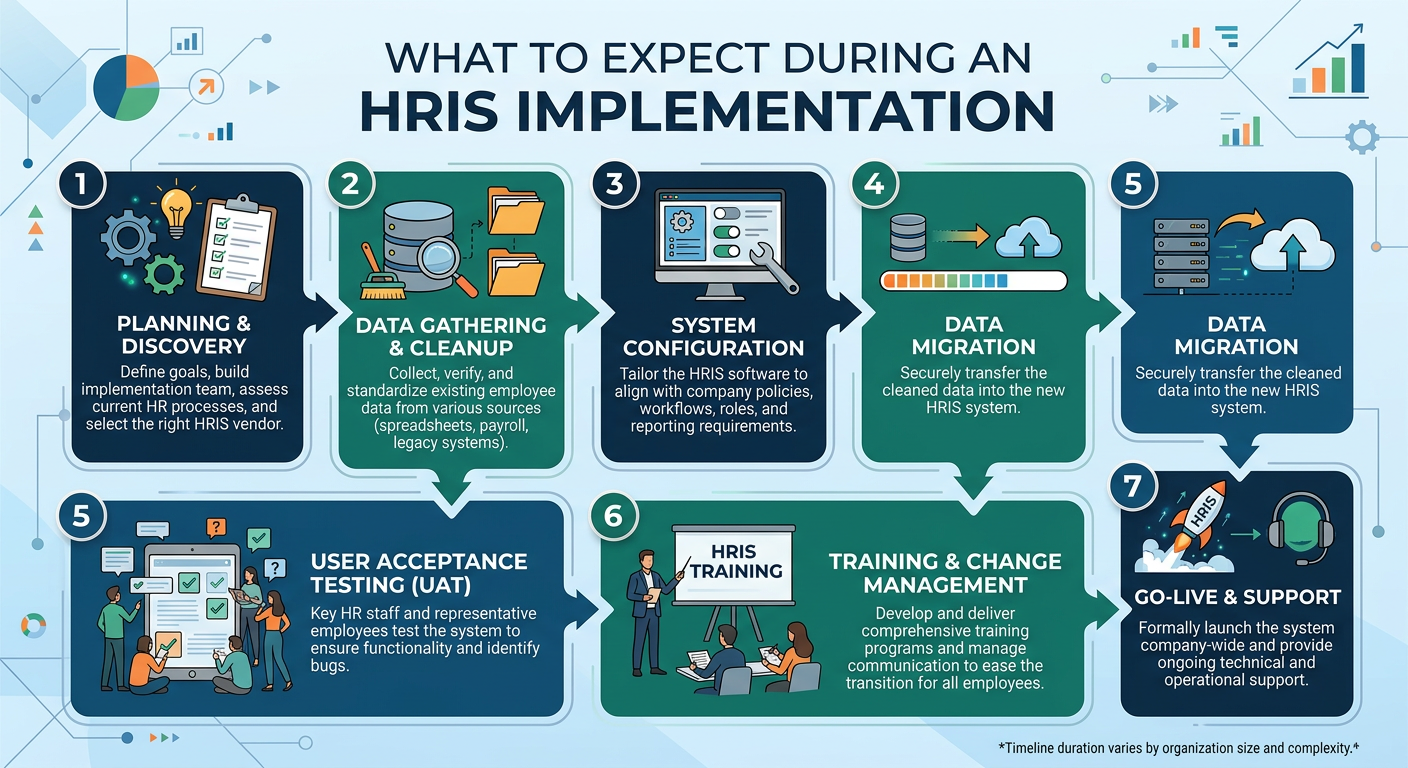
Most HRIS Implementations Don’t Fail at Go-Live
They fail before they start.
Not because of the system.
Not because of the vendor.
But because the foundation is not ready.
For small and mid-size businesses, this shows up as:
- unclear processes
- inconsistent data
- misaligned expectations
This checklist is designed to prevent that.
How to Use This Checklist
This is not just a list of tasks.
It is a sequence.
Each phase builds on the one before it.
Skipping steps leads to:
- delays
- rework
- increased cost
Phase 1: Readiness (Before You Select a System)
This is the most overlooked and most important phase.
Define How HR Actually Works Today
Document:
- hiring workflows
- onboarding steps
- employee lifecycle changes
- approval structures
Do not document how it should work.
Document how it actually works.
Identify Gaps and Inconsistencies
Look for:
- processes that vary by manager
- manual workarounds
- unclear ownership
These are the issues that will follow you into a new system if not addressed.
Establish Ownership
Define who is responsible for:
- implementation decisions
- system ownership
- data management
- ongoing maintenance
Without ownership, projects stall.
Align Stakeholders
Ensure leadership agrees on:
- why the system is being implemented
- what success looks like
- what is in scope
Misalignment here causes delays later.
Phase 2: Data Preparation
Data is one of the biggest reasons implementations struggle.
Audit Your Data
Review:
- employee records
- job titles
- organizational structure
Look for inconsistencies and gaps.
Standardize Data
Ensure consistency in:
- naming conventions
- job levels
- department structures
This improves reporting and usability.
Clean Your Data
Remove:
- duplicate records
- outdated information
- incomplete entries
According to research from Gartner, poor data quality is one of the leading causes of HR technology implementation challenges.
Source
Gartner HR Technology Research - https://www.gartner.com/en/human-resources
Phase 3: System Selection
Choosing the right system is not about features.
It is about fit.
Define Requirements Based on Reality
Identify:
- what processes need to be supported
- what data needs to be tracked
- what reporting is required
Avoid Overbuilding
Do not choose a system based on:
- future hypotheticals
- features you may not use
Start with what you actually need.
Evaluate Fit, Not Just Features
Ask:
- does this align with our workflows
- will our team actually use it
- can it scale with us
Phase 4: Configuration and Build
This is where preparation pays off.
Align Workflows With Processes
Do not build workflows during implementation.
They should already be defined.
Configure Data Structure
Ensure the system reflects:
- organizational hierarchy
- job architecture
- reporting relationships
Build Reporting Early
Do not wait until after go-live.
Ensure reporting works during setup.
Phase 5: Testing
Testing is where issues are identified early.
Validate Workflows
Ensure:
- approvals function correctly
- processes follow expected paths
Validate Data
Confirm:
- data migrated correctly
- reports reflect accurate information
Identify Gaps
Expect to find issues.
Fix them before go-live.
Phase 6: Training and Adoption
A system is only valuable if it is used.
Train All Users
This includes:
- HR
- managers
- employees
Set Expectations
Communicate:
- what is changing
- how processes will work
- who is responsible for what
Monitor Early Adoption
Watch for:
- inconsistent usage
- confusion
- workarounds
Phase 7: Post-Go-Live Optimization
Go-live is not the finish line.
Review System Performance
Evaluate:
- workflow efficiency
- reporting accuracy
- user experience
Improve What Was Missed
Identify:
- underutilized features
- process gaps
- configuration issues
Continue to Evolve
As your business grows, your system should evolve with it.
According to research from Deloitte, organizations that continuously optimize their HR systems achieve better long-term outcomes.
Source
Deloitte Human Capital Trends - https://www2.deloitte.com/us/en/insights/focus/human-capital-trends.html
If This Is Happening, Your Implementation Is at Risk
Watch for these warning signs:
- processes are being defined during configuration
- data requires ongoing cleanup
- timelines continue to shift
- users are unsure how the system works
- manual work continues after go-live
If these are present, the issue is not the system.
It is the preparation.
How HRLaunch Technology Helps
At HRLaunch Technology, we help organizations approach HRIS implementation with structure, clarity, and alignment from the start.
Many implementation challenges are not caused by the system, but by gaps in processes, data, and ownership.
Our approach focuses on:
- assessing HR operations before implementation begins
- defining workflows and requirements upfront
- preparing and structuring data for migration
- aligning stakeholders and ownership
- supporting implementation and post-go-live optimization
We work with small, mid-sized, and growing businesses to ensure implementations are built on a strong foundation.
The goal is not just to complete an implementation.
It is to ensure the system works the way your business actually operates.
Final Thoughts
An HRIS implementation is not just a system change.
It is an operational shift.
The difference between success and failure is not the platform.
It is the preparation behind it.
The goal is not just to go live.
It is to go live with a system that works—and continues to work as your business grows.