“We Already Have an HR System. We Use It for Payroll.”
We hear some version of this often.
A business has software that:
- processes employee pay
- calculates deductions
- manages tax withholding
- provides pay statements
Because employee information is stored in the platform, the company assumes it has an HR system.
Sometimes it does.
Sometimes it has a payroll system with a few HR features.
And sometimes it has a broader HR platform that is being used almost entirely for payroll.
Those are not the same thing.
Understanding the difference matters because payroll and HR systems solve different operational problems.
The Simplest Way to Understand the Difference
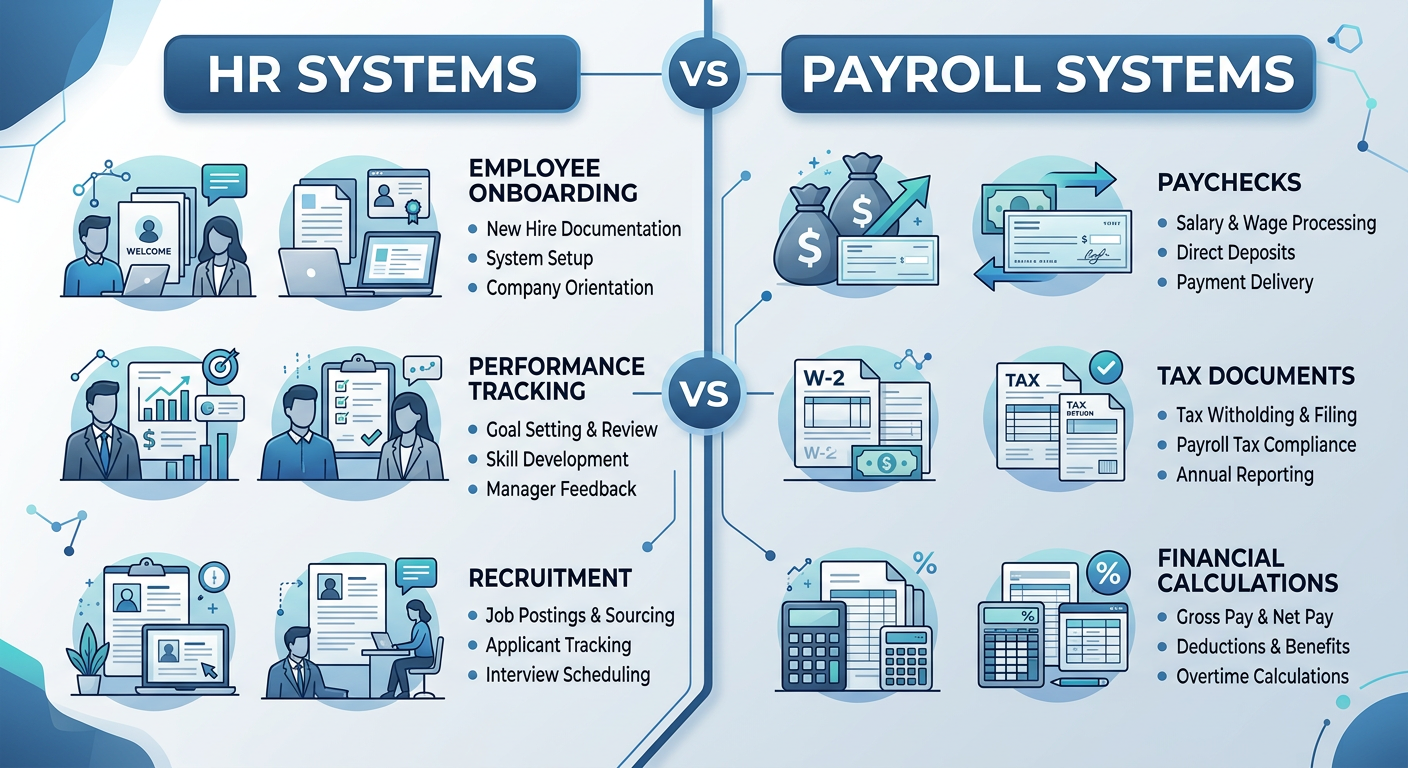
A payroll system is primarily designed to answer:
“How do we pay our employees accurately and on time?”
An HR system is designed to answer a much broader question:
“How do we manage employee information, processes, and workflows throughout the employee lifecycle?”
There can be significant overlap between the two.
But their primary purposes are different.
What Is a Payroll System?
A payroll system manages the processes required to calculate, process, record, and distribute employee pay.
Typical payroll functions include:
- calculating gross and net pay
- withholding taxes
- managing deductions
- processing direct deposits
- tracking taxable wages
- producing payroll reports
- supporting employment tax reporting
Payroll is a specialized business function with significant recordkeeping and tax responsibilities.
The Internal Revenue Service explains that employers are generally responsible for withholding, depositing, and reporting federal income tax and Social Security and Medicare taxes associated with employee wages.
What a Payroll System Does Well
A strong payroll system should help a business:
- calculate pay consistently
- apply deductions
- maintain payroll records
- support tax reporting
- reduce manual payroll processing
Its job is focused.
Pay employees correctly and maintain the information required to support that process.
What Is an HR System?
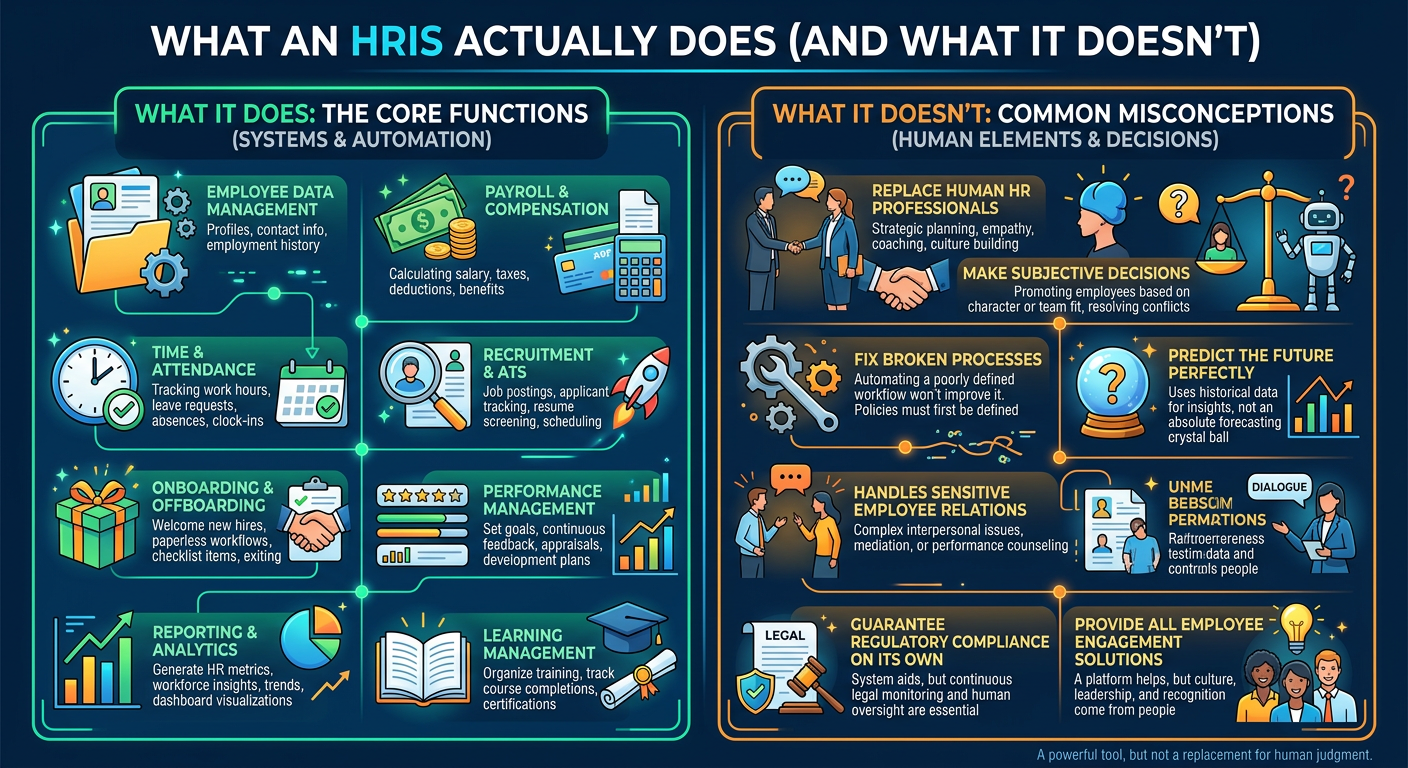
An HR system, often referred to as an HRIS, is designed to manage broader employee information and HR processes.
Depending on the platform, an HRIS may support:
- employee records
- organizational structure
- onboarding
- benefits administration
- employee lifecycle changes
- document management
- time and attendance
- reporting
- recruiting
- performance management
- learning and development
An HRIS often becomes the central source of employee information across the organization.
Some modern HR systems also include payroll.
Others integrate with a separate payroll platform.
According to ADP’s HRIS overview, HRIS platforms can support multiple aspects of HR, including employee data, payroll, benefits administration, and compliance, depending on the system.
Payroll Manages Pay. HR Systems Manage the Employee Lifecycle.
This is the most important distinction.
Payroll focuses primarily on the financial transaction between the employee and employer.
An HR system can support what happens:
Before the Employee Is Hired
- applicant tracking
- candidate workflows
- offer management
When the Employee Joins
- onboarding
- document collection
- policy acknowledgments
- workflow assignments
While the Employee Is Working
- employee records
- job and compensation changes
- benefits
- performance management
- training
- reporting
When the Employee Leaves
- termination workflows
- offboarding tasks
- access coordination
- final documentation
Payroll is part of the employee lifecycle.
It is not the entire employee lifecycle.
Where the Confusion Comes From
The line between payroll systems and HR systems is not always obvious.
That is because many modern platforms offer both.
A payroll company may add:
- onboarding
- benefits
- employee records
- recruiting
An HRIS may include:
- payroll processing
- time tracking
- tax services
This overlap can make it difficult for businesses to understand what they actually have.
The question should not be:
“Does our system have HR features?”
The better question is:
“Does our current system support the HR processes our business actually needs?”
A Side-by-Side Comparison
| Business Need | Payroll System | HR System |
| Process employee pay | Primary function | May be included |
| Calculate deductions | Primary function | May be included |
| Support payroll tax processing | Primary function | Depends on platform |
| Maintain employee records | Basic to moderate | Core function |
| Manage onboarding | Limited or optional | Common function |
| Track employee lifecycle changes | Limited | Core function |
| Manage organizational structure | Limited | Common function |
| Support performance management | Rare | Often available |
| Support learning and development | Rare | Often available |
| Workforce reporting | Payroll-focused | Broader workforce reporting |
| Manage offboarding workflows | Limited | Common function |
The exact capabilities vary by platform.
That is why businesses should evaluate their actual system rather than relying on the category printed on the vendor's website.
Why Payroll Alone Eventually Becomes Limiting
A payroll-only system may work well when a business is small.
The owner knows every employee.
Processes are informal.
Employee changes are easy to track.
But as the company grows, new questions appear:
- Who approved this compensation change?
- Has the new employee completed onboarding?
- Which employees have outstanding documents?
- What positions report to which managers?
- Where is our turnover highest?
- Has required training been completed?
A payroll system may not be designed to answer those questions.
That is where broader HR infrastructure becomes increasingly important.
The Risk of Using Payroll as Your Entire HR Function
The problem is not that payroll systems are inadequate.
They are built to do an important job.
The problem appears when businesses try to make payroll carry responsibilities it was never designed to manage.
This often leads to:
- employee information stored in spreadsheets
- onboarding managed through email
- manual compliance tracking
- documents stored across multiple locations
- inconsistent employee change processes
- limited workforce reporting
Payroll is working.
HR operations are happening everywhere else.
The Opposite Problem: Paying for an HR System You Barely Use
Some businesses have the opposite problem.
They purchased a full HR platform but use it primarily to:
- process payroll
- store employee names
- view pay statements
Meanwhile:
- onboarding happens through email
- employee changes are tracked manually
- reports are built in spreadsheets
- managers bypass system workflows
The business does not necessarily need another system.
It may need to better structure and configure the one it already has.
Do You Need Both a Payroll System and an HR System?
Not necessarily.
Many businesses can use one integrated platform that supports both functions.
Others may benefit from separate systems that integrate.
The right answer depends on:
- company size
- payroll complexity
- HR process maturity
- hiring volume
- reporting needs
- compliance requirements
- system integration capabilities
The goal is not to own two systems.
The goal is to ensure both payroll and HR operations are properly supported.
When an Integrated System May Make Sense
A combined payroll and HR platform may be a strong fit when:
- the business wants fewer systems
- payroll and HR data should remain closely connected
- employee self-service is important
- internal resources for system administration are limited
An integrated platform can reduce duplicate data entry and simplify the employee experience.
But integration alone does not guarantee good operations.
The system still needs:
- clean data
- defined workflows
- clear ownership
- proper configuration
When Separate Systems May Make Sense
Separate payroll and HR systems may be appropriate when:
- payroll requirements are highly specialized
- the HR platform offers stronger lifecycle capabilities
- the organization has complex reporting needs
- existing systems integrate effectively
Separate systems are not automatically a problem.
Disconnected systems are.
If data must be repeatedly entered, corrected, or reconciled manually, the technology environment may be creating more work than it solves.
Payroll Compliance and HR Compliance Are Not the Same Thing
This is another important distinction.
A business can have accurate payroll and still have significant HR compliance gaps.
Payroll-related responsibilities may include:
- wage calculations
- tax withholding
- payroll reporting
- time and pay recordkeeping
The U.S. Department of Labor states that employers covered by the Fair Labor Standards Act must maintain certain wage, hour, and employee records.
Broader HR compliance may involve areas such as:
- hiring practices
- leave administration
- accommodation processes
- employee policies
- harassment prevention
- required training
- personnel documentation
A payroll platform does not automatically manage all of these responsibilities.
If This Is Happening in Your Business, You May Have a Technology Gap
Look for these signs:
- payroll works, but onboarding is manual
- employee information exists in multiple places
- managers email HR to process every employee change
- reporting requires significant spreadsheet work
- compliance tracking depends on reminders
- your system has features you are not using
- HR processes happen mostly outside the platform
If several of these are true, the question may not be whether you need a new system.
The first question is whether your current systems and processes are properly aligned.
How to Evaluate What You Actually Need
Before purchasing additional software, review four areas.
1. Your Current Systems
Document what each platform actually does today.
Not what the vendor says it can do.
What your business actually uses.
2. Your Current Processes
Identify where HR work happens:
- inside the system
- in spreadsheets
- through email
- through manual reminders
3. Your Gaps
Determine which processes are:
- unsupported
- duplicated
- inconsistent
- unnecessarily manual
4. Your Future Needs
Consider what the business will require as it grows.
The goal is to solve current problems while building a foundation that can support the next stage of the business.
Recommendation Going Forward
Do not assume that having payroll software means your full HR function is supported.
But also do not assume you need to buy another system.
Start by understanding:
- what your current technology does
- what your business actually uses
- where HR processes happen outside the system
- what gaps are creating manual work or inconsistency
At HRLaunch Technology, we help small, mid-sized, and growing businesses evaluate both the operational and technology sides of HR.
That includes:
- reviewing current HR processes and workflows
- identifying operational and compliance gaps
- evaluating existing HR and payroll technology
- determining whether current systems can be better utilized
- helping businesses select and implement an HRIS when a new system is actually needed
- aligning systems with practical, scalable HR operations
Sometimes the answer is a new HR system.
Sometimes the answer is better configuration.
And sometimes the bigger problem has nothing to do with technology at all.
The goal is not to add more software.
It is to make sure your HR operations have the structure and systems they actually need.
Final Thoughts
Payroll systems and HR systems are closely connected.
But they are not automatically the same thing.
Payroll ensures employees are paid.
HR systems can support the broader processes, data, and workflows surrounding the entire employee lifecycle.
The right technology environment may be one integrated platform or several connected systems.
What matters is whether the technology supports how your business actually operates.
Because a system should do more than exist.
It should make HR work better.
Sources
Internal Revenue Service — Employment Taxes
https://www.irs.gov/businesses/small-businesses-self-employed/employment-taxes
Internal Revenue Service — Understanding Employment Taxes
https://www.irs.gov/businesses/small-businesses-self-employed/understanding-employment-taxes
U.S. Department of Labor — Fact Sheet #21: Recordkeeping Requirements Under the Fair Labor Standards Act
https://www.dol.gov/agencies/whd/fact-sheets/21-flsa-recordkeeping
ADP — What Is HRIS? Human Resource Information System
https://www.adp.com/resources/articles-and-insights/articles/w/what-is-hris.aspx